
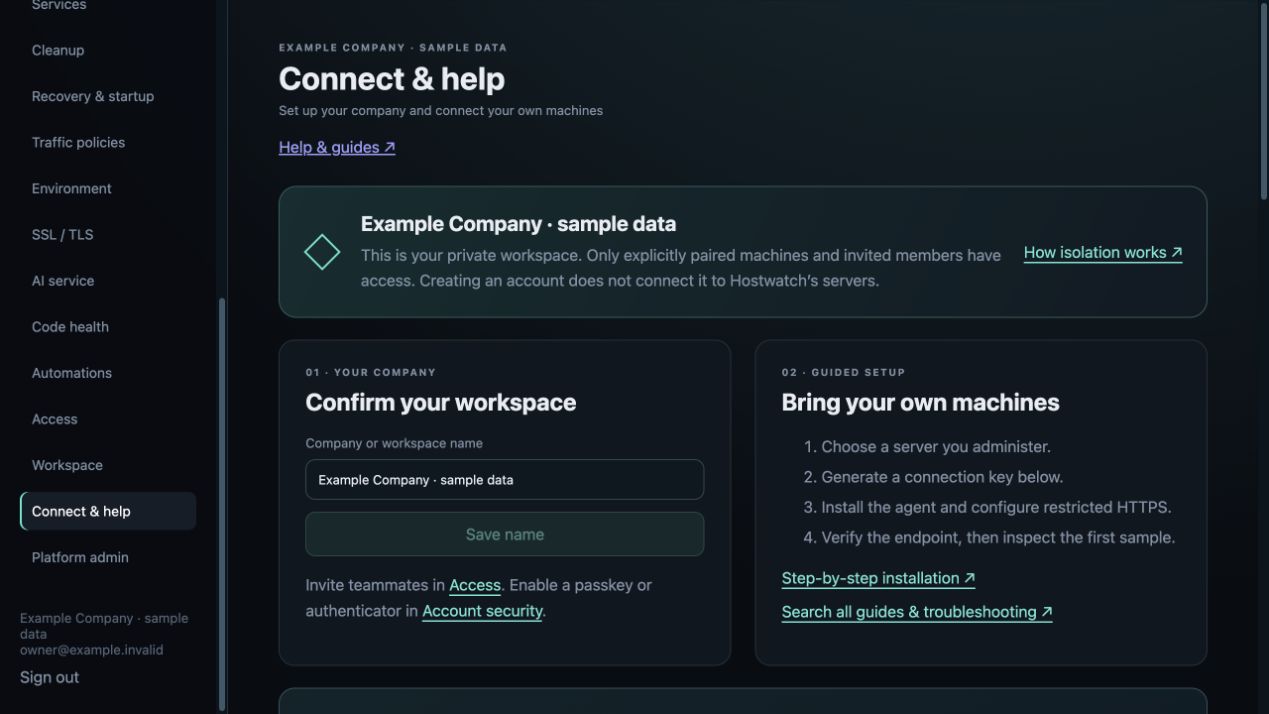
1. Register your company
Open Sign in → Create account. Enter your company or workspace name, your name, email and a password of at least 14 characters. Registration creates a new private workspace and makes you its owner.
A company name or matching email domain never joins another organization. To join an existing company, request an invitation from its owner instead of creating a second workspace.
- Choose a company name your teammates will recognize.
- After sign-in, open Connect & help to check the workspace name.
- Enable a passkey or authenticator in Workspace → Account security.
2. Connect infrastructure you control
Open Connect & help. Generate a connection key, install the Go agent on your own Linux server, and follow the restricted HTTPS setup. The first machine appears only after the agent accepts the key and Hostwatch verifies its identity.
Registration grants no access to the Hostwatch operator’s servers, other companies’ agents, credentials, data or compute networks. Shared compute requires explicit private-network enrollment.
- Choose the Linux package matching your CPU architecture.
- Keep the key readable only by the agent service.
- Publish the authenticated agent through restricted HTTPS; keep port 9091 on loopback.
- Verify and connect, then confirm the hostname and sample time.
3. Invite the right people
The owner manages invitations in Access. An administrator can inspect and operate permitted workspace resources. A viewer has read access. Only owners manage membership and connect machines.
Share a one-time passkey invitation using your own trusted channel. Members see only the companies where they have an explicit membership. Review connected MCP clients in Workspace and revoke unused authorizations.
Platform administration
The configured platform owner has a separate Platform admin page showing registered companies, members, setup stages, machine counts and subscription allowances. The company registry does not grant membership or access to customer telemetry.
Manage registration pauses only new account creation. Existing accounts and agents keep working. The installation’s self-signup setting remains an upper limit. Actions are recorded in the platform workspace audit.
If setup stops
If no machines appear, check the selected workspace first. A new workspace is empty until enrollment succeeds. Do not enroll an operator’s endpoint or reuse another company’s key.
If verification fails, check the agent service, HTTPS certificate, reverse proxy and firewall. The endpoint must accept the current connection key. Generate a fresh key if the 20-minute enrollment window expired.
If you reached the machine allowance, review your workspace plan in the Hostwatch iPhone or iPad app. An expired trial does not transfer your machines to another company.