
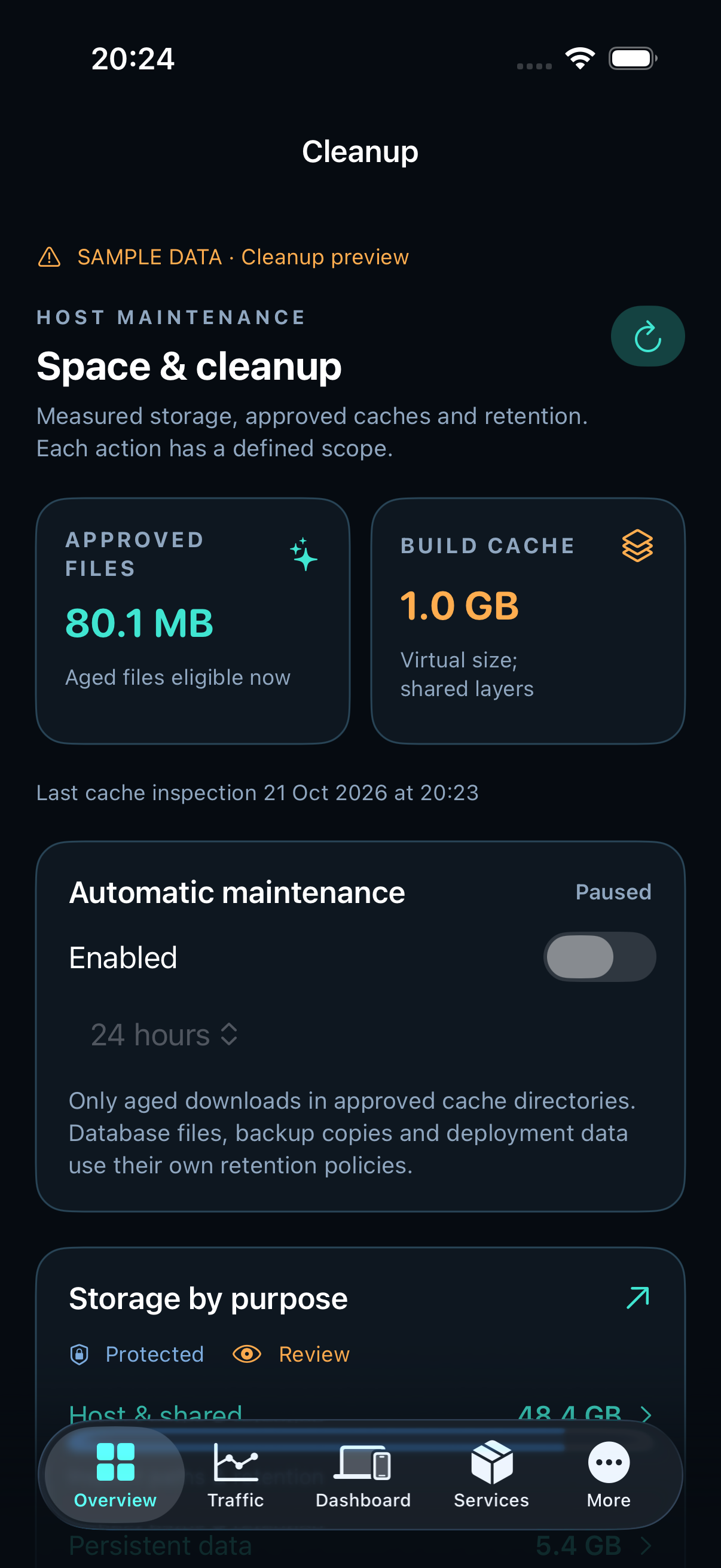
Start with physical disk use
Open Overview → Disk. The filesystem total and free space are current host measurements. Directory attribution is a separate background scan and can finish later.
Storage by purpose separates applications, databases, backups, logs, swap and shared runtime files. A filesystem accounting difference is unattributed space, not a folder you can delete. Open it to inspect the actual measured paths.
Read the cleanup preview
Open Safe cleanup from Disk or More → Cleanup. The page scrolls independently. Last measurements remain visible while a new scan runs. A paused or failed inspection offers a retry instead of implying completion.
- Review Storage by purpose.
- Read each approved cache target and its Scope & impact.
- Use Safe, Review and Protected filters to inspect paths.
- Clean a specific approved cache only after reviewing its consequences.
Configure retention and maintenance
Automatic maintenance is per node and disabled by default. Enable the offered fixed cache schedule only for the desired station. Backup schedules and retention use installed profiles in Automations → Backups (More → Automations → Backups on iPhone).
Long scans continue on the server. Reopening the page reads the latest result; leaving the screen does not delete files.
Read archive and restore evidence separately
In Automations → Backups, select the server and installed profile. The newest archive, last independent successful restore and current availability describe different facts. A new archive does not inherit the restore result of an older copy.
Review effective timer/resource settings and read-only capacity preflight before starting a configured verification. A full restore uses private scratch storage; it does not overwrite production. Queued, running and unknown outcomes are not completed verification.