
Find the service and its dependencies
Open Services on iPhone or Services in the web console. Filter by server or search by service name and domain. Opening a service shows a compact Overview. Use Runtime for processes and containers or Data files for persistent files. Both lists have search, four initial rows and Show more. The Data files shortcut opens that list directly; full paths, sizes and WAL details stay available. An unrecorded inventory is distinct from an empty list. The observation strip shows freshness and refresh keeps the open service current; Dependencies separates databases, caches and key-value stores, files and volumes, configuration, routing and other service dependencies. Category counts cover the recorded inventory. Search by name or full path; repeated filenames keep their parent directory. Long groups initially show four rows and expand with Show more. Open a row for its complete identity and recorded move handling. Move shows one selected destination and its capacity.
Observed inventory is evidence, not a complete deployment manifest. Declare external databases, queues, storage, secrets and network requirements in the installation service configuration. Missing evidence stays visible.
- Choose the service on its current server.
- Open Runtime and Dependencies to review persistent data and configuration.
- Open Move, choose a destination and open Preview migration.
Register the prepared destination
Choose Review installed template when the operator has prepared a destination. Review its service, source and target scope, then register it with an owner account. Registration enables preview; it does not move or stop the service. A destination without a template shows a setup checklist.
The maintained portable adapter supports prepared process or OCI services with SQLite, ordinary files or stateless data. The destination image/runtime, data root, read-only candidate, private configuration references and owned route must be installed first. Podman definitions must be initialized without starting their writers. Other database engines and multiple writable roots need an application-specific adapter.
service_registration_preview { serviceId, targetNodeId }
service_register { planId, expectedRevision, idempotencyKey }
service_migration_preview { recipeId }
Review capacity, then move
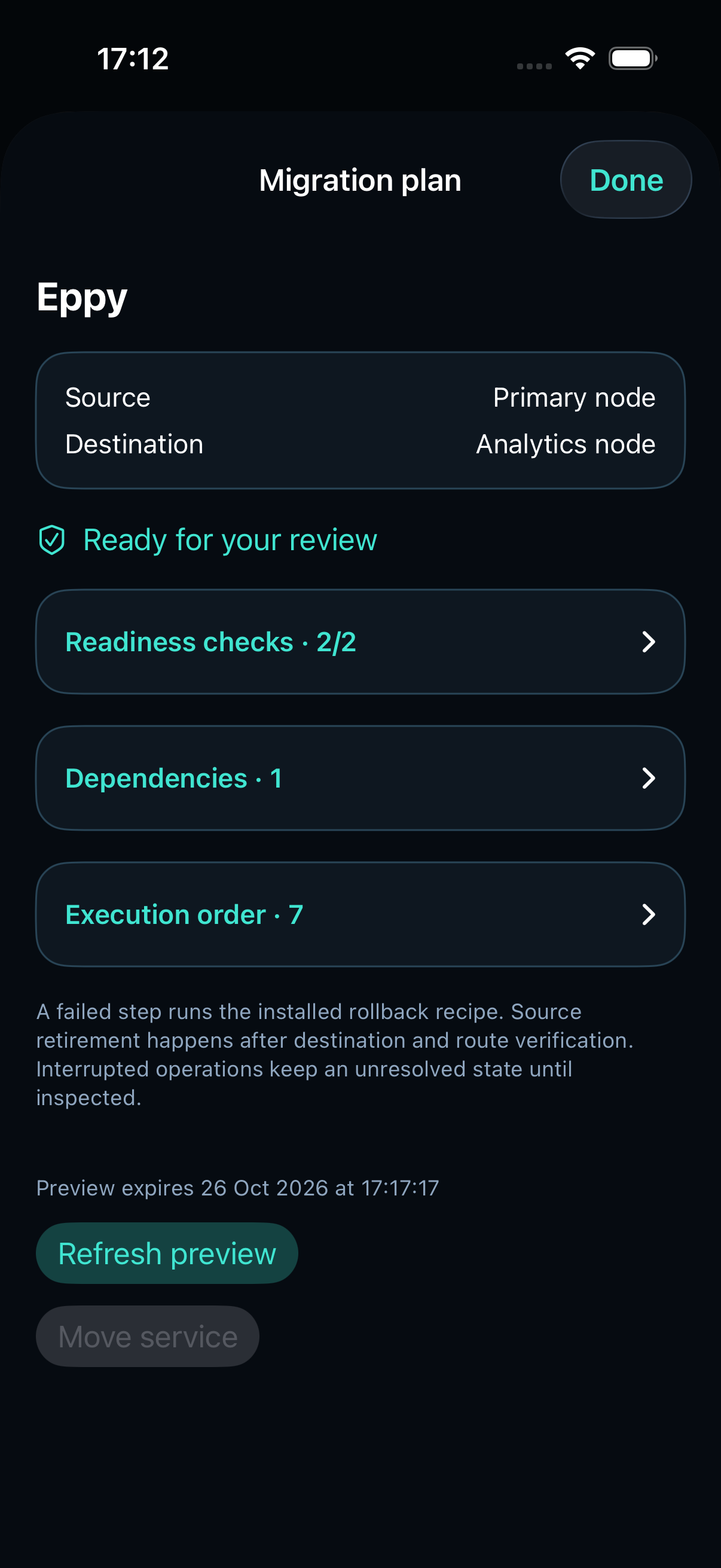
The preview shows both servers, free disk and memory, required reserves, architecture, installed image/runtime, data and secret-reference readiness, candidate probe and routing checks. Checks, dependencies and execution order expand separately. The preview expires after five minutes and offers Refresh preview; an expired or invalid preview cannot execute. Changed bindings require a new preview. You can cancel a read-only check or browse another section without a late result reopening the plan. Unknown or insufficient capacity blocks execution.
Confirm Move service with an owner account. Follow phase and byte progress in the operation journal. Bytes copied are separate from database integrity, health and route verification.
- Inspect image, volumes, database and WAL sizes, ports and networks.
- Read every blocker and dependency action.
- Check source recovery space as well as destination capacity.
- Confirm the reviewed move, then open its live journal.
Verify the result or restore the source
A read-only candidate checks the initial copy. The source writer is then stopped, a final consistent snapshot catches up accepted writes, and the destination starts before routing switches. The original data remains retained.
Verify serving location & data performs a fresh route identity, integrity and single-writer check. Cancel and restore waits for the current safe phase before recovery. Roll back migration first stops the destination writer and transfers its newest writes back before restoring the source route.
A timeout, lost response or restarted control plane leaves the result unknown and the service locked. Fresh inspection does not silently turn that record into success. Keep the original recipe and private journal available for explicit recovery.
Use the same workflow from MCP
Search category services, discover services and destinations, then register or preview. Mutations require an owner, hostwatch:write, confirm=true and both nodes’ MCP execution policy. Keep the same idempotency key after a lost response. REST, iPhone and MCP use the same ServiceMoves journal.
service_discovery
service_migration_preview { recipeId }
service_migrate { recipeId, planId, expectedRevision, idempotencyKey }
service_migration_status { jobId }
service_migration_verify { jobId }
service_migration_cancel { jobId, expectedRevision, idempotencyKey }
service_migration_rollback { jobId, expectedRevision }