
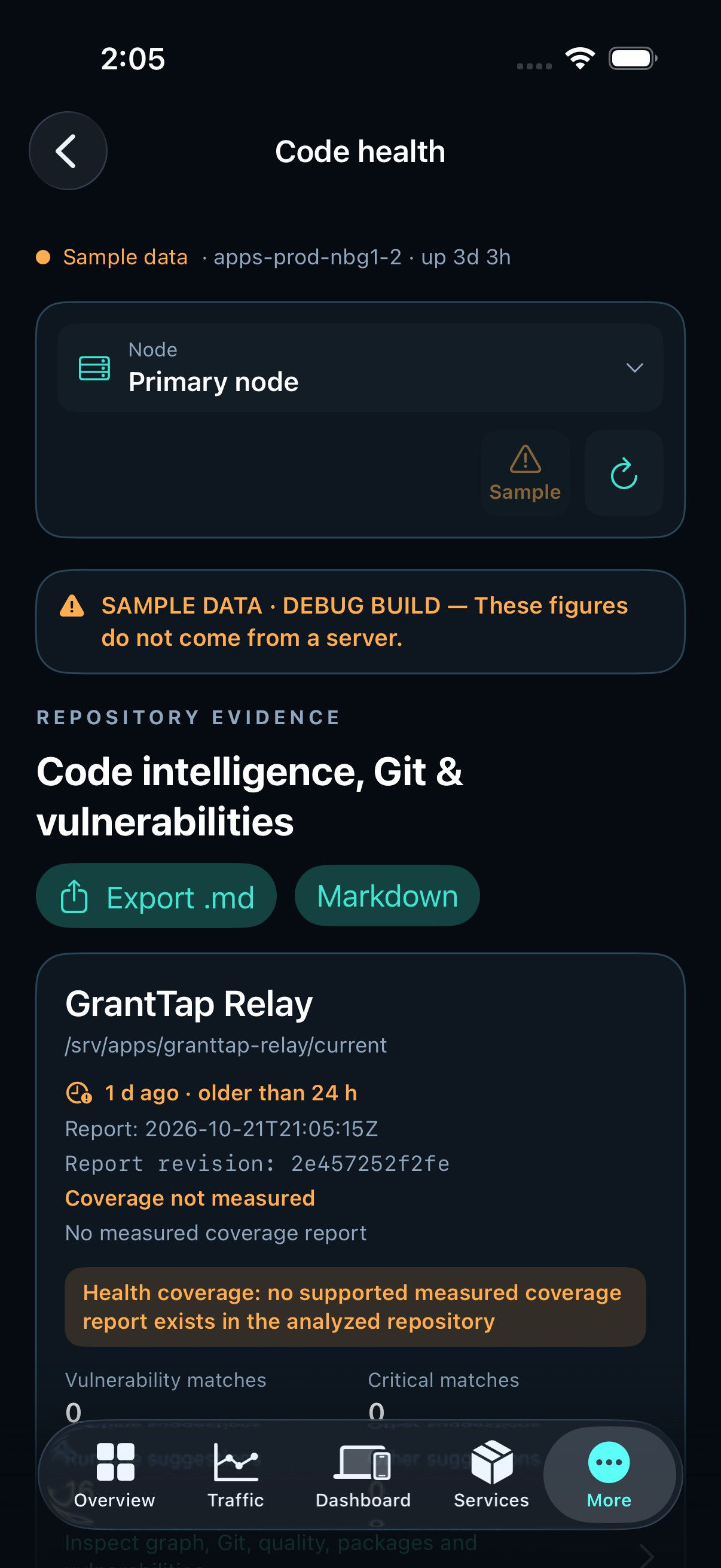
Read each category separately
Vulnerability matches come from dependency advisories. Runtime and other code review suggestions are separate static observations. A recommendation severity is not added to the vulnerability chart.
A sequential await may preserve queue or stream ordering. A documented catch may handle an expected failure. Inspect the context before changing either pattern.
Understand a partial check
PARTIAL describes incomplete evidence. Missing measured coverage is not a vulnerability and does not mean the test suite failed. The evidence detail shows the coverage measurement and its reason separately from vulnerability matches.
Zero matches applies to the available report. It does not prove that newer deployed code has the same result.
Check date and revision before acting
Each card and detail view shows the report time, relative age and analyzed revision. A report older than 24 hours receives an age warning. An absent or invalid time stays unavailable.
Compare the analyzed revision with the service you are investigating. Source, image, deployed runtime and public package versions can differ; one report must not be presented as an audit of all of them.
Inspect private client and resource counts
Owners can open Traffic → Devices & capacity for the configured application. Computers, control devices, online accounts and paid, seven-day trial, beta and expired tiers are counted from authenticated collectors. Sockets and IPs are different measures.
Unknown or stale collector values stay unavailable. Synthetic sources and identities missing from the authority registry are excluded from real client counts. Server changes remain manual.
search { query: "application_capacity" }
execute { operation: "application_capacity", args: { siteId: "granttap", hours: 6 } }