
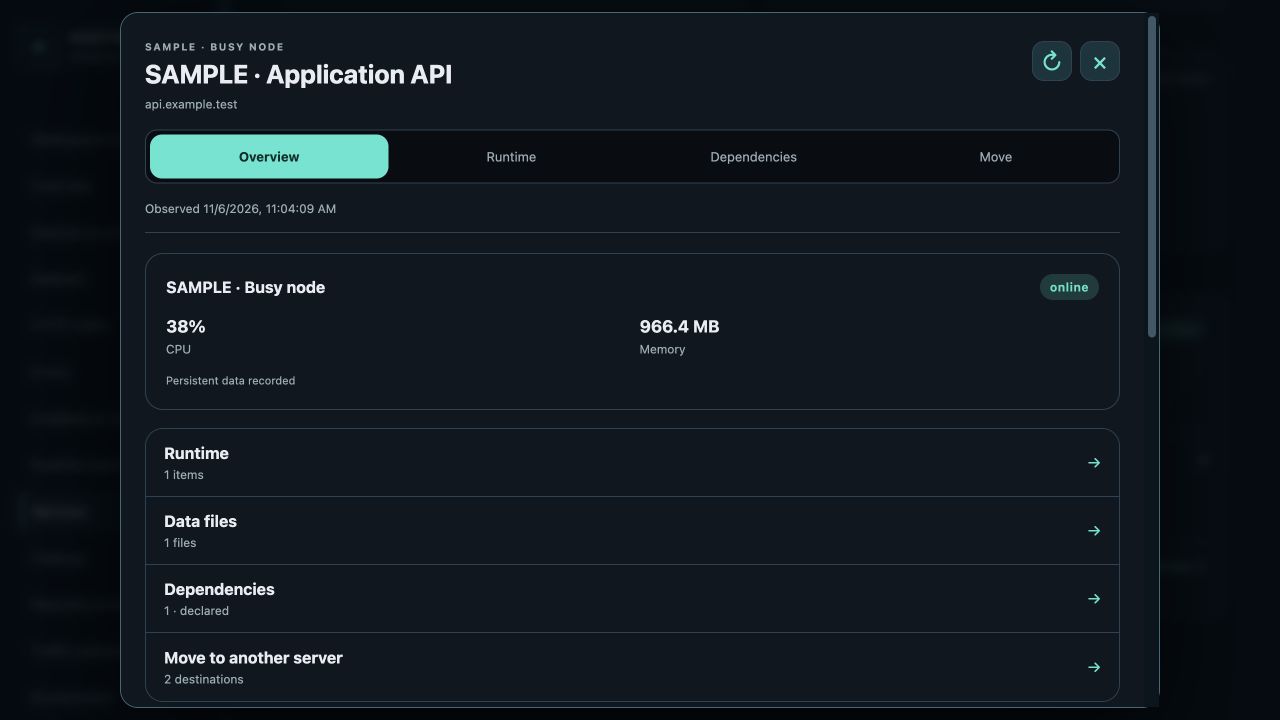
Start with observed placement
Open Services in the web console or iPhone/iPad app. The list identifies the server for each recorded service. Placement advice highlights destinations that may relieve a busy server or satisfy an operator’s server-placement rule. Open a service and read Placement options in Overview.
The observation timestamp matters. Resource observations older than two minutes require refresh. Missing CPU counts, incomplete service inventory and unmeasured persistent data remain unknown. A quiet current sample does not establish peak capacity.
Read the proposed resource budget
Memory uses the larger of observed service memory × 1.5 and recorded component limits, plus 15% of target RAM with a minimum 512 MiB host reserve. Available, budget and estimated-after values describe a conservative estimate, not a reservation.
CPU uses one core as 100% and compares the recorded host core count, current utilization and configured application limit. Missing core counts or utilization do not mean zero load.
Disk advice uses the root filesystem: unique image virtual sizes, recovery copies of recorded data and a 2 GiB reserve. A separately mounted disk has its own free capacity; it is not added to root capacity. Unknown writable volumes require the installed recipe’s reviewed reserve or further investigation.
Review architecture, data and dependencies
Eligible for planning means the recorded checks support preparing a plan. Review requirements means a measurement or binding is missing. Constraint identifies a measured shortage or explicit placement restriction.
A different CPU architecture needs a verified native target build or an installed portable-runtime recipe. Moving image bytes alone cannot convert AMD64 to ARM64. Shared databases, private configuration references, storage, routing and single-writer recovery must be declared.
Prepare and verify an explicit move
Read-only users can inspect placement and plans. A recommendation grants no mutation permission. Unknown outcomes stay visible and require inspection of the original operation; repeating a move with a new idempotency key is not recovery.
- Choose Review destination to open Move with that server selected.
- Review or register its operator-installed template.
- Create a fresh migration preview and inspect its blockers, dependencies and expiry.
- An authorized owner confirms the move; follow the durable operation journal.
- Verify the actual serving location, application health, data integrity and retained source.
Inspect placement through MCP
Call service_placement with an optional serviceId, nodeId or text query. Use service_locations first when you need the exact service identity and component release profiles. Recommendations do not publish images, rebuild source or switch traffic.
Source updates remain explicit: partial mode overlays approved file changes; full mode replaces the complete approved source tree. Build, registry publication and live deployment each have separate previews and receipts. No Git-triggered deployment or CI/CD is required.
service_locations { query: "application" }
service_placement { serviceId: "node-id:site-id" }
service_registration_preview { serviceId, targetNodeId }
service_migration_preview { recipeId }