
Headlamp brings Kueue admission into view—and explains the wrong kind of Pending
A job can be waiting before there is a Pod to debug. Headlamp’s Kueue plugin makes that earlier decision visible, offering a useful lesson for every dashboard that compresses a workflow into one status.
Published 23 October 2026. Independent news analysis; source announcements are dated in the article.
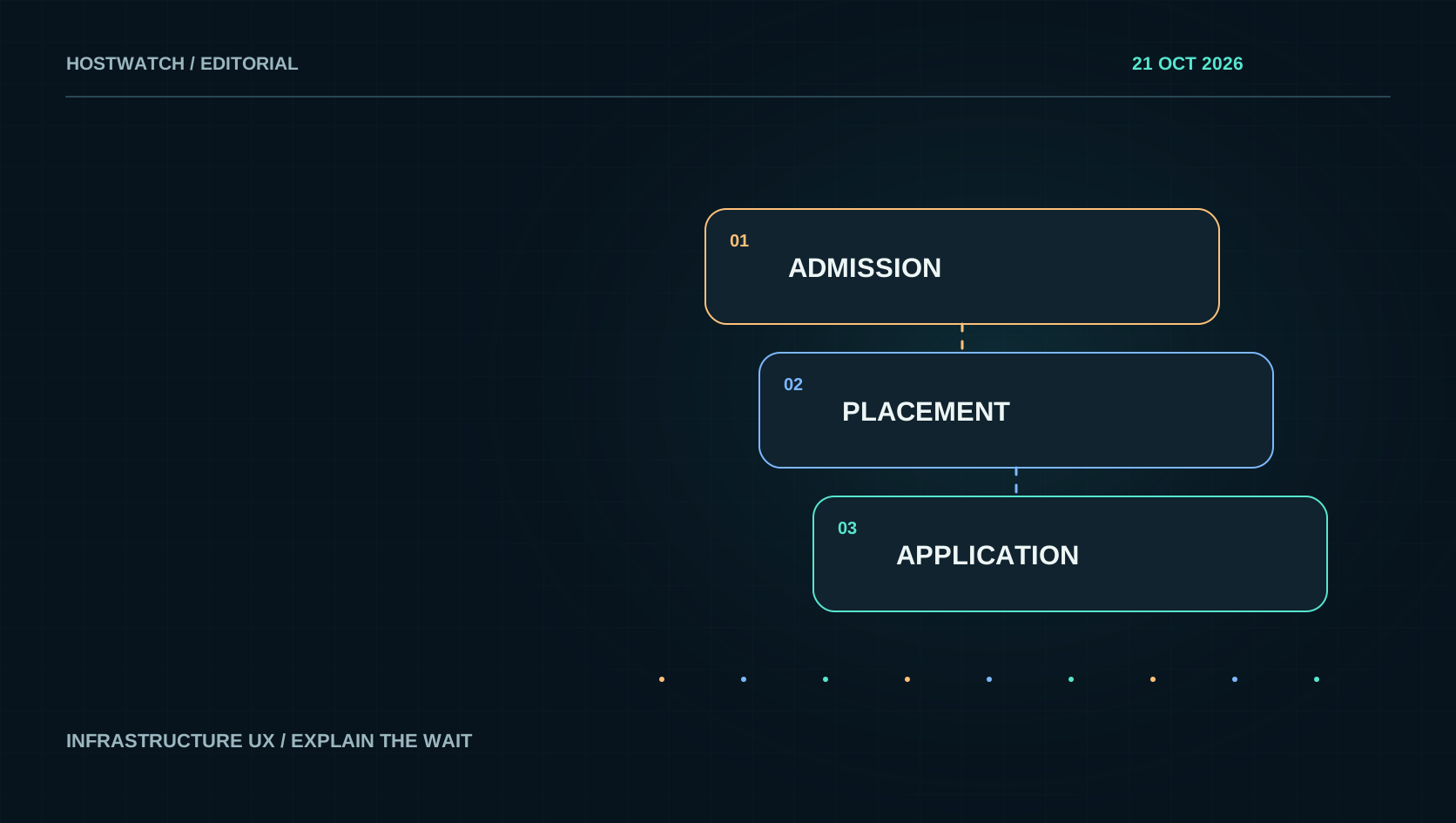
The October release note is about an earlier decision
A 14 October article on the Kubernetes blog presents the Kueue plugin for Headlamp. Its 0.1.0-alpha release provides read-only views of Workloads and related queue resources, using the Kubernetes permissions of the signed-in identity. The article separates admission from Pod scheduling: a suspended Job may still be waiting for Kueue’s decision before Pods are available to inspect. It also states the alpha’s limits, including the absence of its own mutation workflows and a visual relationship map. See the upstream walkthrough for the exact release scope.
Our interest is the interface boundary this exposes. In many systems, “the job has not started” becomes a single amber badge. That badge may describe an intentional policy hold, a capacity constraint, a scheduler problem or a broken application. Each possibility has a different owner and remedy. A useful dashboard should identify the decision that is currently blocking progress before offering a restart or more hardware. The following analysis applies that idea to operational interfaces; it does not imply that Hostwatch ships a Kueue or Headlamp integration.
Separate admission, placement and application health
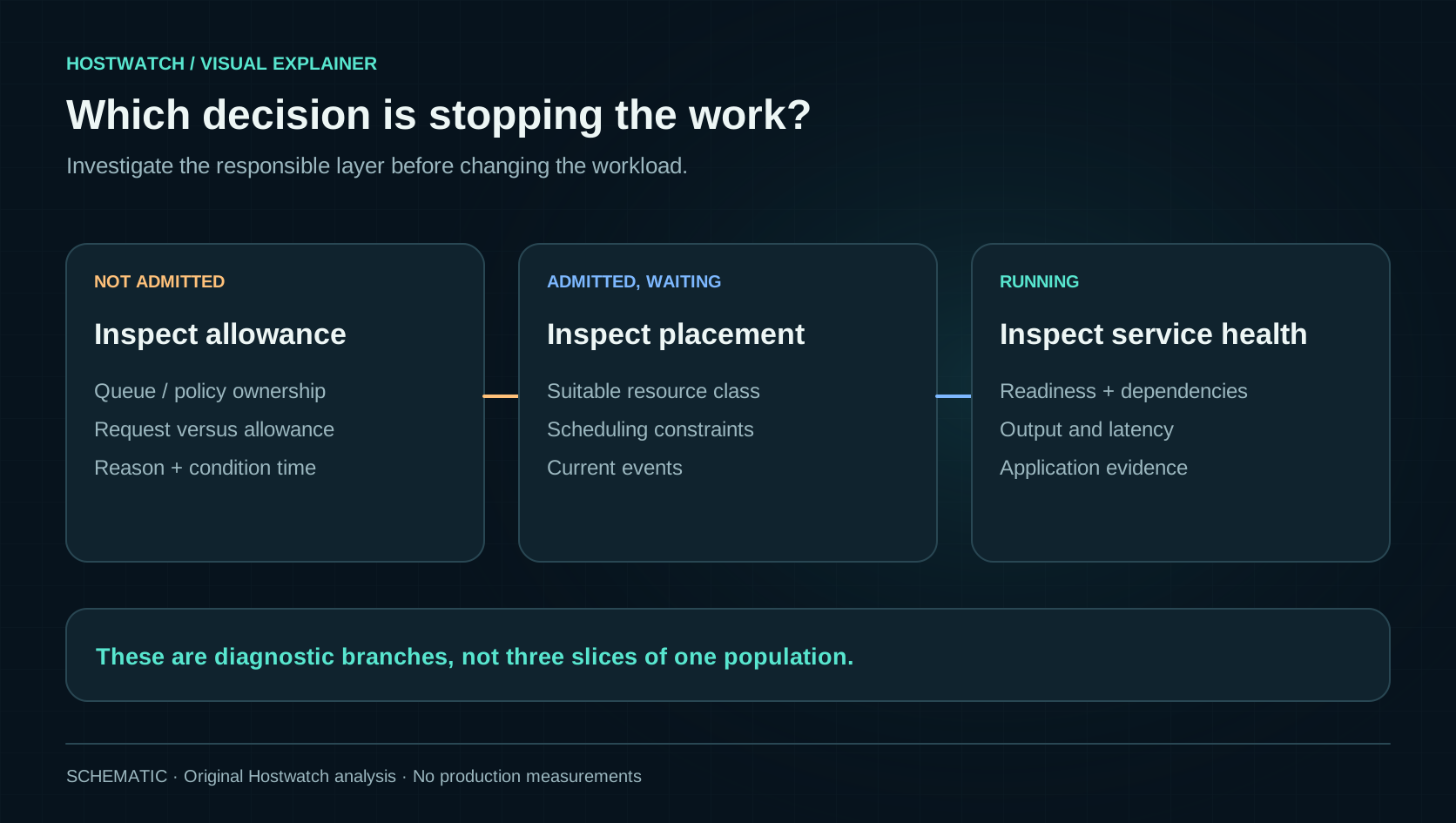
For an operator, three questions form a useful sequence. Is this work authorized to start under the relevant policy and quota? If so, can the system place it on suitable resources? Once running, is it producing a healthy result? These are different states even when the same service coordinates all three. A quota hold can be correct behavior. A placement failure can reveal an unavailable hardware class. A running process can still fail its health contract. Collapsing them into one availability percentage encourages the operator to change the wrong part of the system.
Kueue’s Workload model gives concrete evidence for the first boundary: conditions such as QuotaReserved and Admitted describe different parts of the admission process. The official concept documentation explains the object and its status. Our interface recommendation is to expose the relevant condition, its reason and its timestamp near the headline state, then link to the resource that owns the decision. A dashboard need not display every YAML field to be precise. It needs enough context to make the next investigation obvious and to distinguish a current condition from an old event.
Available hardware is not the same as usable allowance
Consider an illustrative cluster with idle machines while one tenant’s job waits. The empty CPU graph does not prove an admission bug. That tenant may have exhausted its allowance, requested a resource class that is unavailable or reached a concurrency boundary. Conversely, a generous quota does not prove there is a suitable destination for the workload. Keep hardware inventory, owner-approved share, policy allowance and current reservation separate. The distinction matters just as much on a small private compute network as it does in a larger cluster.
A capacity card should therefore answer “available to whom, for what and at what time?” Show the workload’s request beside the relevant allowance, with compatible units and the scope that owns it. Include all members of a multi-part request rather than comparing one task with a group’s total. Mark whether the displayed quantity is configured, reserved or measured. If the collector is stale, say so. None of these interface choices increases actual capacity, but they prevent an operator from solving a policy hold with a server purchase or confusing unused hardware with permission to run.
Make the reason open the object that can explain it
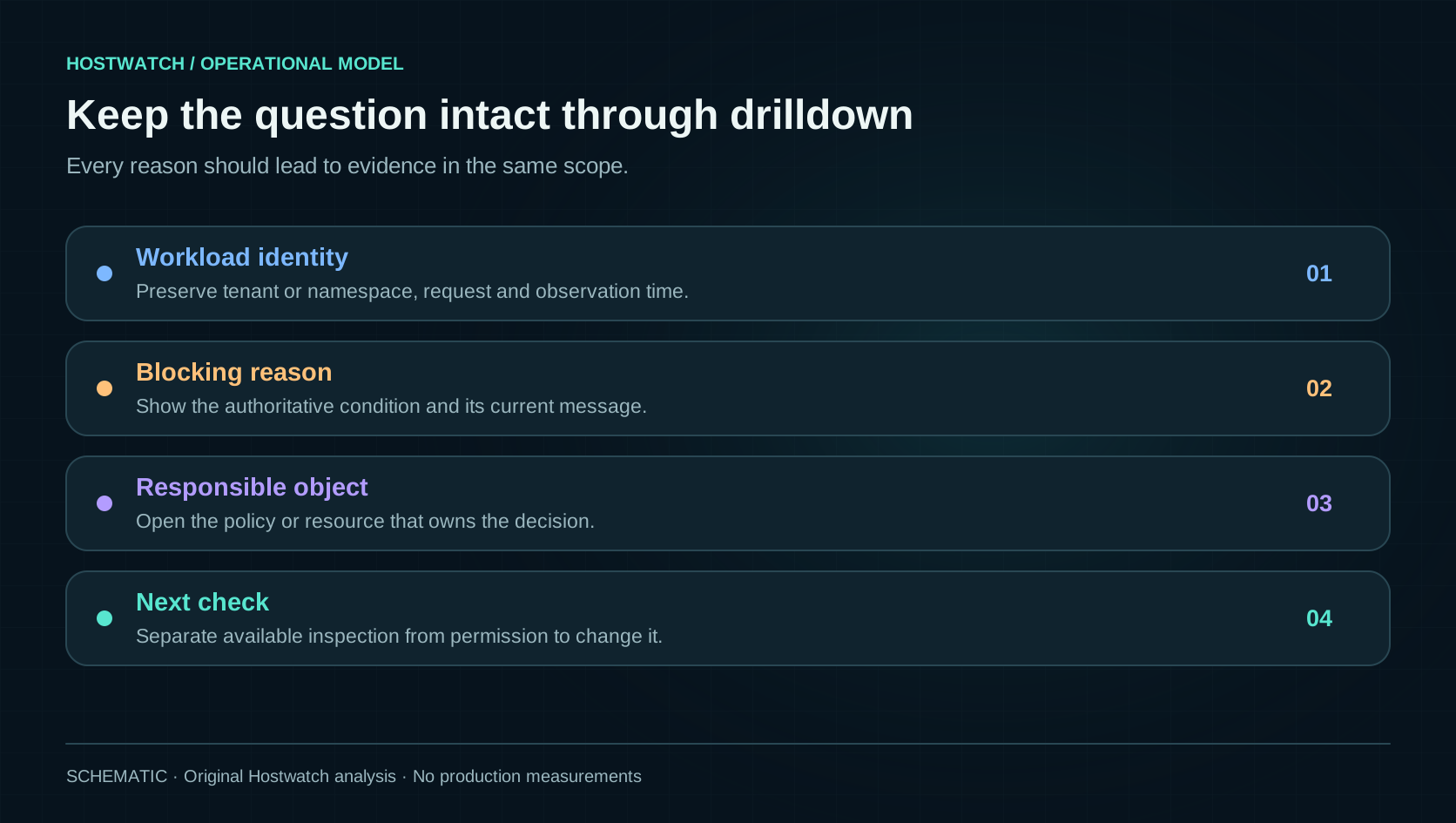
Good drilldown should preserve the question the person was asking. A waiting workload opens its current reason; that reason opens the relevant policy or resource; the resource view shows the workload in context. Preserve identity, namespace or tenant, observation time and active filters along the path. Do not send the operator to a generic dashboard where the same name may exist in several scopes. A small summary is valuable when it carries the evidence relationship with it, rather than requiring the operator to reconstruct the relationship from memory.
This is also why status counts need deliberate denominators. A count of queued jobs, a count of resource reservations and a count of running tasks describe different populations. Displaying them as three slices of one pie can imply they are mutually exclusive when the underlying model says otherwise. Prefer a sequence or separate summaries until the state model supports a true partition. If a diagram shows a connection between resources, label whether it comes from a declared reference or an inferred relationship. The attractive part of an infrastructure diagram should be how much uncertainty it removes.
Visibility and mutation should remain separate capabilities
An operator who can understand a blocked job should not automatically gain authority to remove the policy that blocked it. Make read access useful on its own. A read-only view can show the current condition, relevant resource, last change and who can approve a modification. If the person lacks permission to inspect an object, report that boundary explicitly. An empty result and an authorization failure should not share the same cheerful “nothing here” state. This distinction improves both troubleshooting and tenant isolation.
For tools that do allow changes, put the proposed effect beside the reason. Increasing an allowance, changing placement requirements, restarting work and cancelling it are different actions. Each should identify the target, expected revision, affected scope and verification step. A pending state alone is not sufficient authority for any of them. When an action is accepted asynchronously, retain its operation identity until the outcome is known. A second click after a slow response should inspect the same operation, rather than silently creating another job or expanding the tenant’s quota twice.
Use the lesson even if you do not run Kubernetes
The same diagnostic structure applies to image publication, database backup, service relocation and private model jobs. Before work executes, there may be an approval, a compatibility check, a capacity reservation and a queue. During execution, there may be several independent checks before the user-visible result is established. Name the stage that is actually waiting. Include the last transition and the evidence needed to leave it. If the process is asynchronous, show a bounded progress state and a recoverable error path instead of covering the entire interface with an indefinite loader.
For an existing dashboard, start with the status that generates the most support questions. List the distinct reasons currently hidden behind it, then identify the authoritative source for each. Build one useful drilldown before adding another fleet-wide chart. Test a legitimate policy hold, a missing permission, an unreachable collector and a real execution failure. The interface should explain each condition differently. The Headlamp announcement is a timely example of this kind of work: making an earlier decision inspectable can be more useful than adding another metric to the last stage of the pipeline.
Give each waiting state a responsible layer, an evidence link and a next check. A generic Pending label cannot tell an operator whether to inspect policy, placement or the application.